

You’ll find some incredibly useful Instagram tools listed in a previous post here. While

What is Storrito?
This is definitely something that the entire Instagram tool arsenal needs.
Now, we know what you may be thinking – when did creating Stories get so complex?
The truth is, it didn’t.
Tools such as
Considering that Instagram Stories have become the most powerful feature for boosting engagement and count 500 million daily active users worldwide…it’s easy to see why marketers and influencers are going to shift their focus to their Stories strategy in 2019.
Now, let’s dive into the
Preparing Instagram Stories on your PC
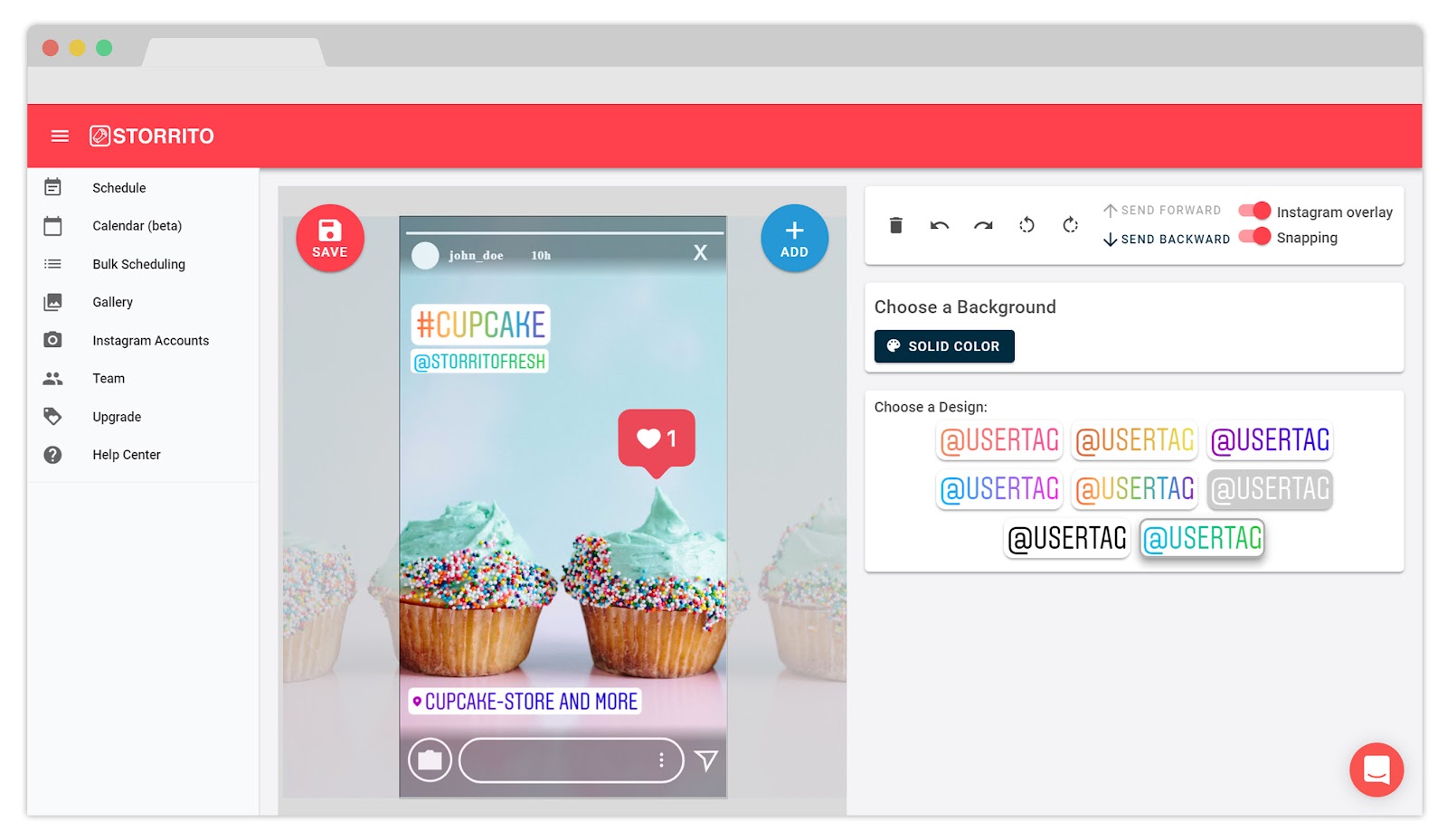
First and foremost, Storrito makes it possible to create and post Stories from desktop. This is an especially valuable feature for those who are serious about their Instagram marketing and would rather not fumble on a phone when crafting content that’s supposed to wow their audience.
💡 Related Post: Review on Social Captain
You can upload a photo or video to Storrito and then craft your Stories straight from the app, with the practicality and comfort of desktop editing. The Storrito web editor has everything you need to perfect your Stories content, including:
- Interactive Instagram stickers: hashtags, location tags, user mentions, polls
- Emojis
- Custom fonts
- Adding swipe-up links (for business accounts with over 10k followers)
- Templates
Additionally, the
When you upload an image to the
Schedule Stories for auto-posting
What makes Storrito an absolute lifesaver for Instagram marketers and a winner among Stories tools? It gives users the option to post the Stories they create on desktop immediately to Instagram, or to schedule them for posting later.
Now, this is huge for marketers who want to ensure maximum engagement on Instagram by posting Stories frequently and at the right time. It’s a major time saver – and it makes content management all the more effortless and organized.
Scheduling and auto-posting is especially useful for Stories that need to announce limited time offers and discounts on specific dates, Stories that announce product launches, and for keeping your Stories content running during your free time.
With your Stories prepared in advance and scheduled for auto-posting, you can rest easy throughout the day knowing that Storrito has got it taken care of. There’s even a bulk scheduling feature and a schedule calendar in Beta mode.
And that’s not all! What separates Storrito from other tools of this kind is that:
- The auto-posting feature is available to all accounts (not only business accounts).
- It can be used both for images and video content.
- Once you select the publishing date and time, that’s it – Storrito won’t bother you with smartphone notifications to confirm before posting.
Import professional stock photos With Storrito
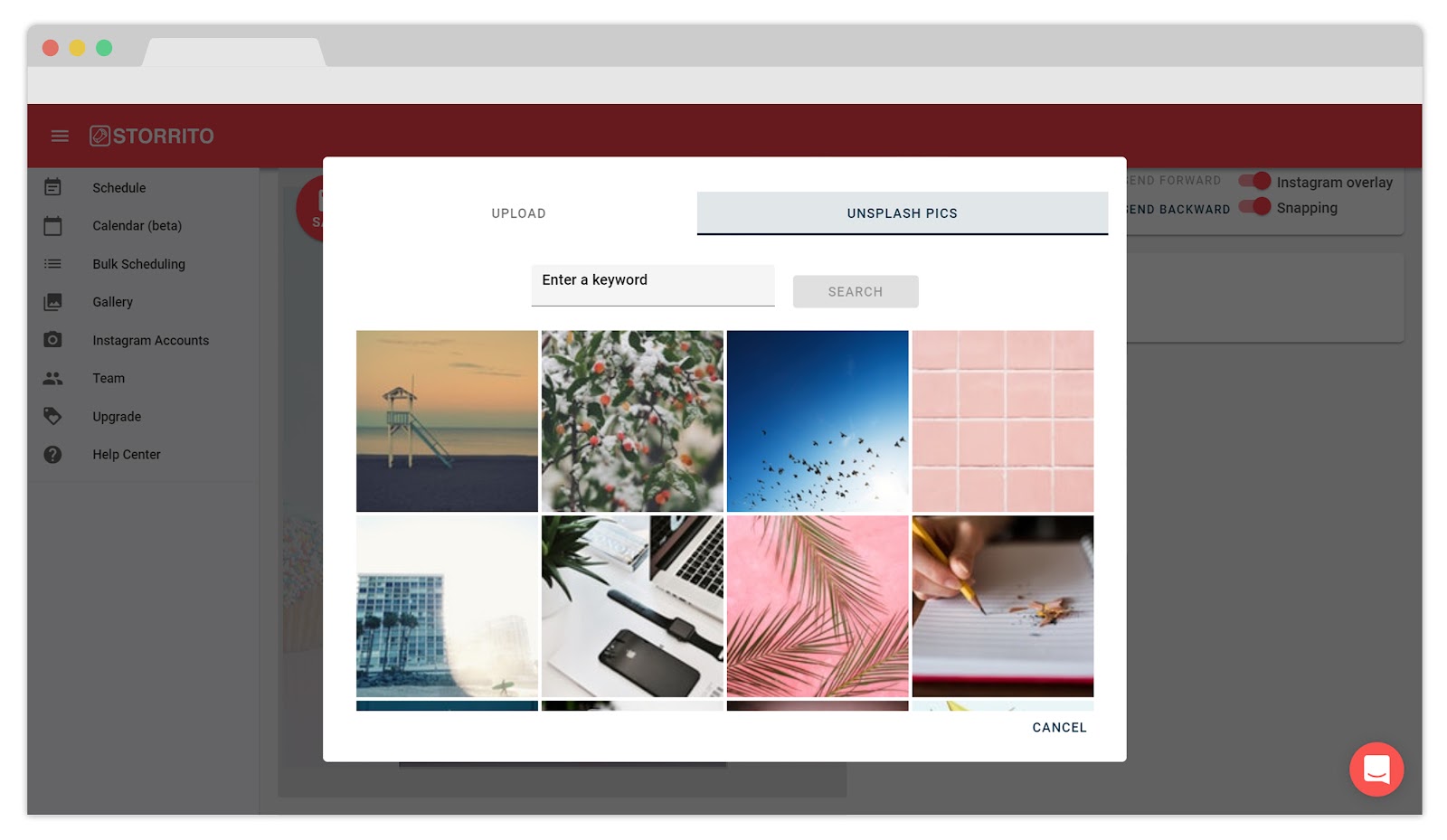
When you don’t have a desirable image to feature in your Stories, the
This is especially useful when you want to post an announcement, for example, and don’t have a catchy image to accompany it. You just search for your keyword in the editor and choose a fitting image, which certainly saves plenty of time.
What about video content?
No worries,
You can upload video content to your PC and schedule it for auto-posting it or post it immediately, as with images.
You can really create an immersive experience for your audience.
Collaborate with a team
We love this feature! Storrito allows multiple users to share a single account.
This is great news for marketers and social media marketing teams, who can collaborate on the Stories content schedule.
Not only that, but Storrito allows you to connect multiple Instagram accounts. So, if there’s a need, multiple teams can work together on different accounts and create Stories together. Once again, that’s a really useful feature for professional social media marketing teams.
💡 Related Post: Simple tools for editing your Instagram pictures
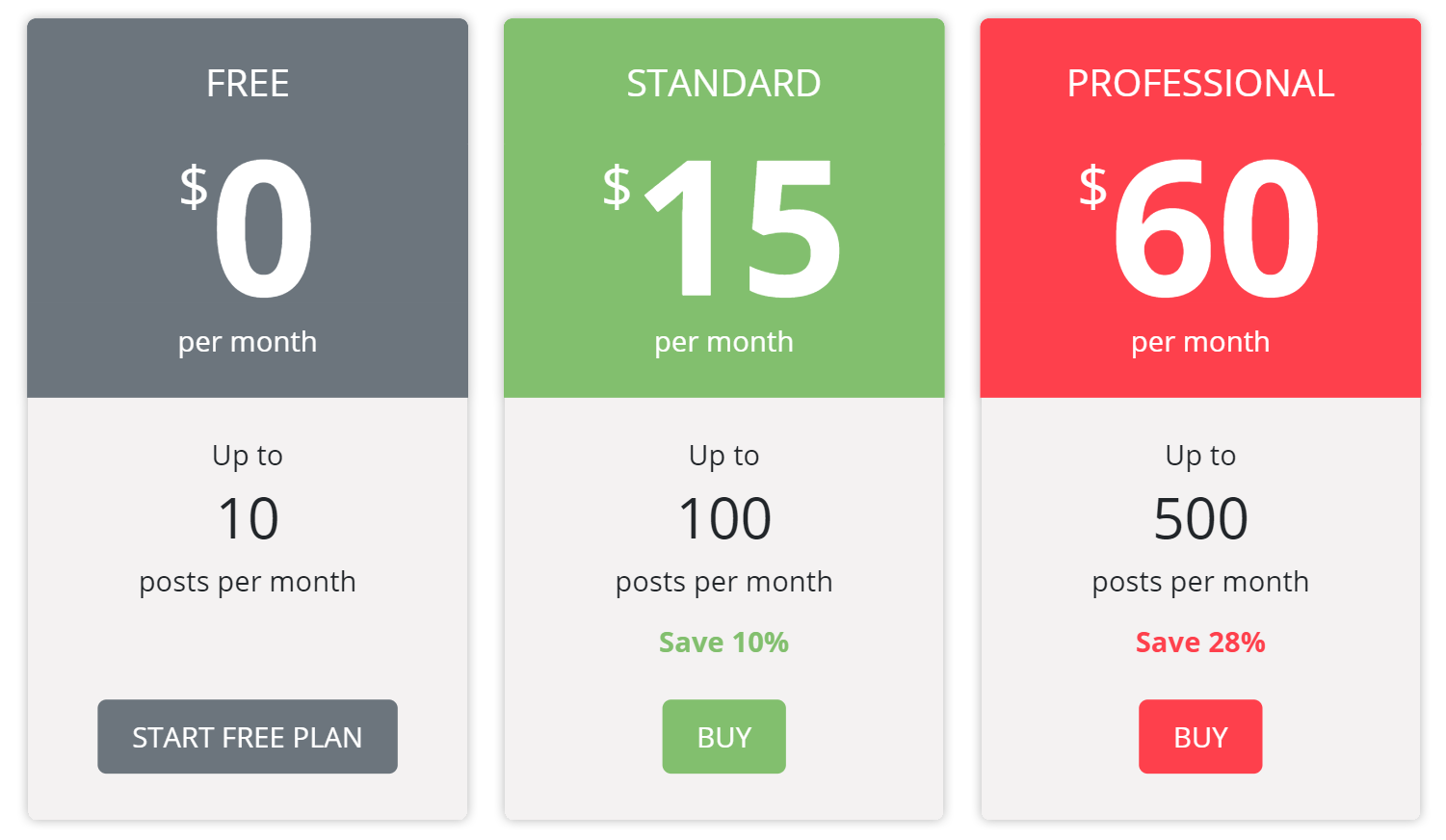
Storrito’s plans and pricing
We’re convinced – Storrito is great
This concludes our
All in all, it’s a great app and it’s only getting better. We’ve pointed out in this post how and why this app saves time for Instagram marketers.
It helps marketers create better
It’s safe to say that the app is not necessarily reserved for marketers only.
Brands, influencers, and agencies should be using this tool as well. Or anyone just looking to have loads of fun editing Stories on
The free plan also supports up to 10 posts per month.
There’s no credit card required, so go ahead and give
Hope this helps you take your Instagram story game to the next level!
💡 Related Post: All you need to know about Kicksta
About The Author: Macy Gray
Macy has been growing Instagram accounts for influencers since 2013. As an Instagram veteran, she provides actionable tips to our Followergrowth readers!
More posts by Macy Gray